Your Codex plugins,
in any harness
An MCP bridge for connected Codex apps, direct web search, and macOS Computer Use. Codex keeps the logins. Your harness picks the model. No model turn, no API key.
{
  "mcpServers": {
    "codex-connectors": {
      "command": "npx",
      "args": ["-y", "@wileai/codex-connectors-mcp@latest"]
    }
  }
}
$ claude mcp add codex-connectors -- npx -y @wileai/codex-connectors-mcp@latest
# ~/.codex/config.toml
[mcp_servers.codex-connectors]
command = "npx"
args = ["-y", "@wileai/codex-connectors-mcp@latest"]
startup_timeout_sec = 120
tool_timeout_sec = 180
$ export CODEX_CONNECTORS_HTTP_TOKEN="$(openssl rand -hex 32)"
$ npx -y @wileai/codex-connectors-mcp@latest --transport http --port 8787
# → http://127.0.0.1:8787/mcp  ·  Authorization: Bearer $TOKEN
Requires Node.js 22.19+ and a signed-in Codex CLI (codex login).
Every Codex plugin.
Every harness.
Connect an app once in Codex — Gmail, GitHub, Figma, Linear, Slack, Google Drive, Notion, anything in the catalog — and use it from any agent harness through this extension.
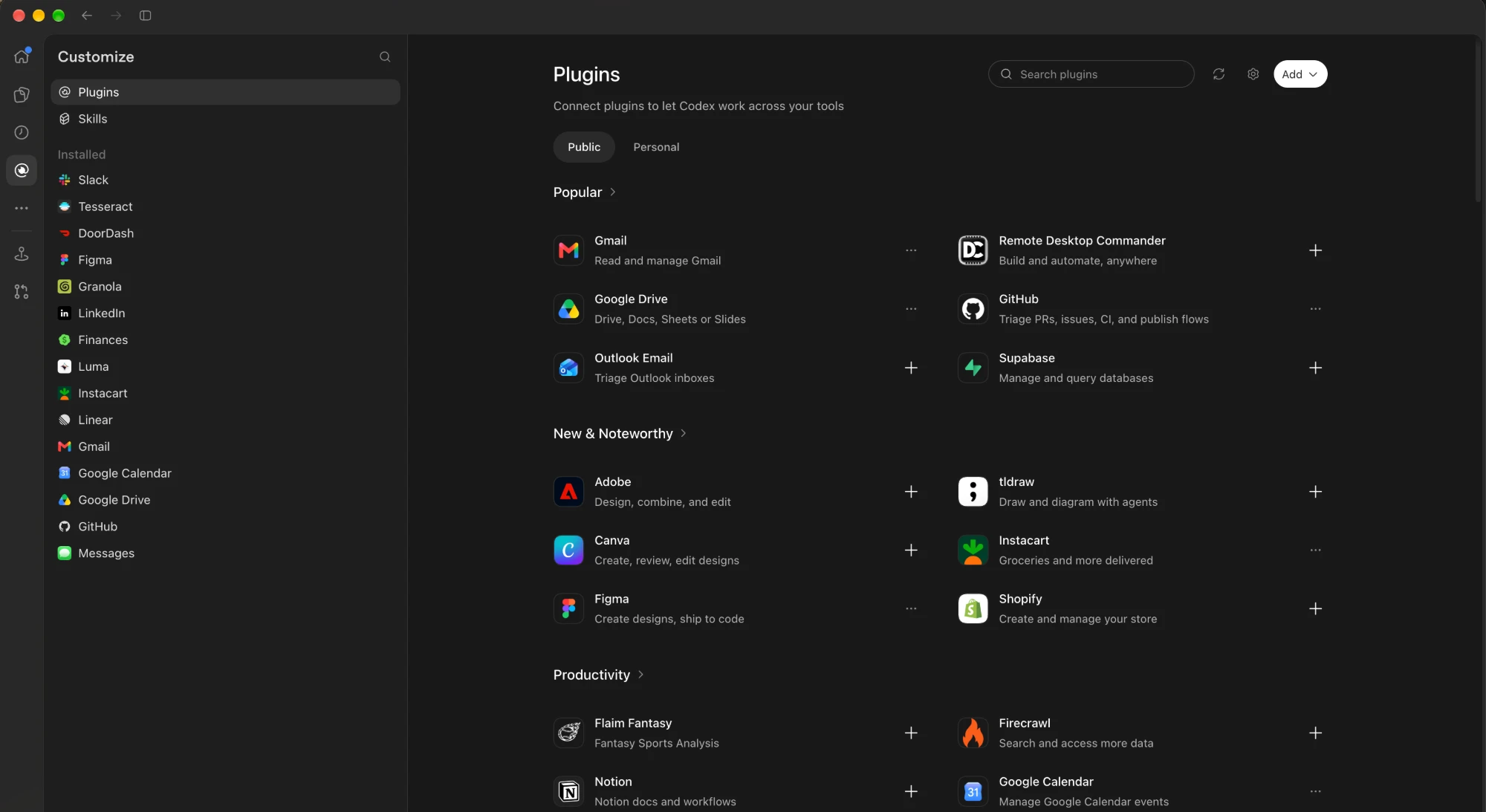
Codex already did the hard part: OAuth flows, token refresh, and a growing catalog of first-party app integrations. codex-connectors-mcp lifts those connected apps out of Codex and serves their tools over the Model Context Protocol, so any client that speaks MCP stdio or Streamable HTTP can call them.
Your harness never sees a credential. It sees tool names, schemas and results — exactly as Codex's app-server reports them, without truncation.
Any client with MCP stdio or Streamable HTTP support that runs as the user signed in to Codex.
A bridge, not an agent
The bridge drives Codex's own app-server directly. It never starts a model turn, so there's no inference cost and no second model in the loop.
turn/startMCP stdio | Streamable HTTP → JSON-RPC over stdio → mcpServer/tool/call
- Spawn
codex app-server --listen stdio://and initialize its experimental API. - Open an ephemeral thread with apps enabled, model-adjacent features and your own MCP servers disabled.
- Read
app/installedand keep only apps Codex reports as enabled and callable, filtered by your allowlist. - Page through
mcpServerStatus/listand joincodex_appstools to their apps by connector id. - Expose each tool over MCP and validate every call against its original JSON Schema (draft-07, 2019-09, 2020-12).
- Forward through
mcpServer/tool/call, preserving content blocks, structured content, errors and metadata. - On shutdown, close the child process and remove its temporary workspace.
Two ways to see your apps
Every enabled connector tool appears in tools/list with its full input schema and provider annotations, under stable ASCII names of 64 characters or fewer.
github_get_profile_3b5eaf4306c5
<app>_<tool>_<hash>  for every other tool
… plus dispatcher, web, and computer tools
Three connector management tools, plus enabled web and computer tools. App tools stay callable through the dispatcher, which is handy when a harness caps tool counts or hundreds of schemas would crowd the context.
codex_connectors({"connector":"GitHub","query":"profile"})
codex_connector_schema({"tool":"github.get_profile"})
codex_connector_call({"tool":"github.get_profile",
                      "arguments":{}})
| Tool | Purpose |
|---|---|
codex_connectors | List apps; filter tools by connector and/or query; paginate with offset/limit; reload with refresh: true. |
codex_connector_schema | The full original tool definition, plus its exposed name. |
codex_connector_call | Call by original or exposed name with an arguments object. |
codex_web_search | Search, open, find, and follow result links. Cached by default; maximum access is configured by the user. |
codex_computer_js, codex_computer_js_reset | Persistent desktop JavaScript and reset, automatically available with the macOS runtime. App approvals use MCP forms. |
codex_computer_status, codex_computer_forget | Runtime availability and grant revocation. Forgetting grants follows the write policy. |
Reads flow. Writes ask first.
Connector calls not marked read-only and Computer Use JavaScript/reset calls go through the write policy. Computer Use JavaScript runs with your user privileges; native app approvals do not sandbox it. Native app access also requires separate approval; your harness must authorize UI actions. By default you approve each write through MCP form elicitation, which shows the exact tool and arguments.
Approve each one
The bridge shows the tool and its arguments in an elicitation form. Clients that can't elicit can't write.
Trust the harness
For harnesses that already confirm MCP calls. The bridge adds no extra prompt.
Read-only bridge
Reject anything not marked read-only, and everything marked destructive.
Calls time out after 120 s. If a write's outcome is unknown (timeout, cancellation, app-server crash), the bridge never retries it and blocks further writes until you've checked the app. Approval payloads over 20,000 characters fail rather than being silently shortened.
Five variables. That's the config.
| Variable | Default | Purpose |
|---|---|---|
CODEX_CONNECTORS_CODEX | codex | Path to the Codex executable. |
CODEX_CONNECTORS_MODE | direct | direct or compact. |
CODEX_CONNECTORS_WRITES | ask | ask, allow or deny. |
CODEX_CONNECTORS_WEB_SEARCH | cached | Maximum access: disabled, cached, indexed, live. |
CODEX_CONNECTORS_WEB_SEARCH_MODEL | gpt-5.4 | Standalone retrieval routing field; no model turn. |
CODEX_CONNECTORS_COMPUTER | auto | Automatic macOS runtime discovery; disabled opts out. |
CODEX_CONNECTORS_COMPUTER_APP | /Applications/ChatGPT.app | Desktop runtime installation path. |
CODEX_CONNECTORS_ALLOW | All eligible apps | Comma-separated connector names or IDs, case-insensitive. An explicitly empty value exposes no connectors. Web and computer access are configured separately. |
CODEX_CONNECTORS_HTTP_TOKEN | Unset | Bearer token for HTTP transport, at least 32 characters. |
CLI flags: --transport stdio|http, --mode direct|compact, --port 8787, --help. Diagnostics go to stderr; stdout carries only MCP messages.
Streamable HTTP
For clients that want a URL instead of a subprocess. The listener binds to loopback only, checks Host and Origin, and requires the bearer token on every request.
Up to 16 independent sessions, each with its own lazily started app-server. Idle sessions expire after 30 minutes.
{
  "url": "http://127.0.0.1:8787/mcp",
  "headers": {
    "Authorization": "Bearer <CODEX_CONNECTORS_HTTP_TOKEN>"
  }
}
What we didn't build
No model
The bridge never calls turn/start. Your harness's model does the thinking; Codex just serves the apps.
No API keys
Authentication stays with your codex login. The bridge does not read credential files. Standalone web retrieval uses an access token from app-server in memory, sent only to OpenAI.
No disk cache
Connector/web responses are forwarded without a disk cache. The desktop runtime may save screenshots/session artifacts.
No auto-retry
A write with an unknown outcome is never retried, and it blocks further writes until you've checked.
No hosted multi-user
It's a local, single-account bridge. Cloud-only harnesses need their own secured route to it.
No skill install
It bridges a plugin's app tools. Skills bundled with a Codex plugin stay in Codex.
Installing the bridge means sharing app names, tool schemas and tool results with your harness and its model provider. Read-only tools can still return private data, so use CODEX_CONNECTORS_ALLOW to share only the apps you intend to. This allowlist does not restrict web search or Computer Use; configure those separately.